Documentation
Sep 26, 2025
5min read

We’ve just rolled out some small but exciting improvements to Catalogic - this week, focused on Product Attribute Definitions (PADs) for Revenue Cloud Advanced.
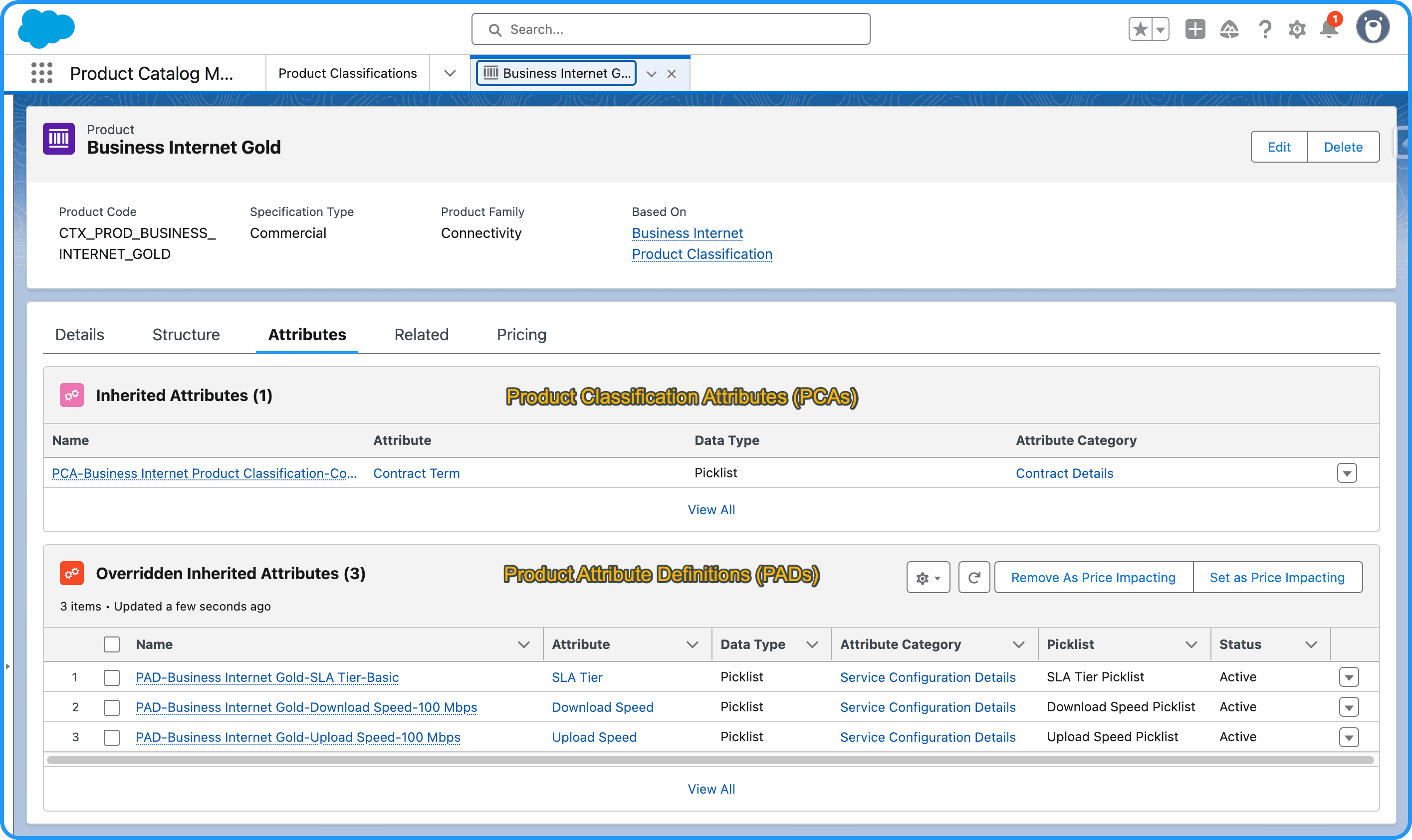
As you know, PADs and Product Classification Attributes (PCAs) work together to define attribute values at both the product classification and individual product levels. Now, Catalogic gives you a smoother experience managing PADs:
Easily import existing PADs from Salesforce
Tweak them in your Catalogic spreadsheet
And upload back to Salesforce with ease
Improved In-App Guidance
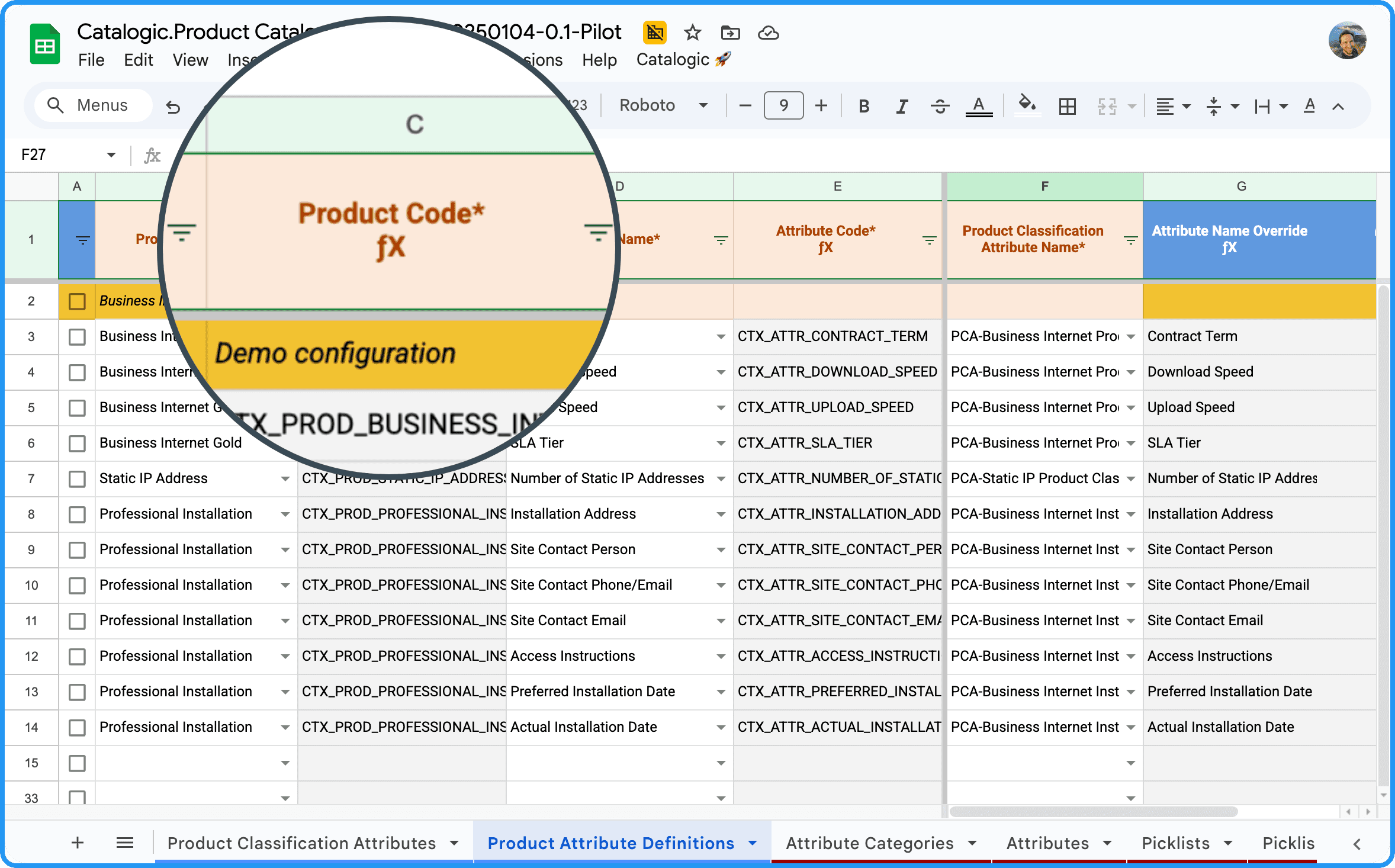
While improving this feature, we also noticed that PADs come with quite a few required fields - leading to upload errors if something’s missing. So we’ve enhanced the in-app guidance to help you catch issues early.
On the Product Attribute Definitions tab (only for now):
Mandatory column headers now have an asterisk (*)
They also show a distinct background and text color
Missing required values are highlighted with color
Columns with Catalogic-suggested formulas are now tagged with ƒX
Yes, the spreadsheet got more colorful — but it’s all in the name of productivity and clarity 🚀
Don’t like it? Tell us more.
How to Try It
To try these improvements:
Install the latest Catalogic packages
Get the updated client spreadsheet
Need help with getting started? Just reply to this email!
Want a Personal Walkthrough?
If you’d like a personal onboarding session or want to discuss your experience, just answer to this email and we will set up a 1:1 call.
Stay tuned for more enhancements - and thank you for being part of the Catalogic journey!